|
Getting an IRIS Full User ID |
  
|
|
Getting an IRIS Full User ID |
|
Getting a FULL IRIS User ID - A2A Consent
In this step you authorize Magtax (the client application) to access/upload data on your behalf. It's called the consent.
The combination of the Magtax ClientID and your Full IRIS UserID is like a user/password combo. You can add, delete or change them any time.
Go to the website at: https://la.www4.irs.gov/esrv/consent/
Login using your ID.ME details.
Select the IRIS TCC options.

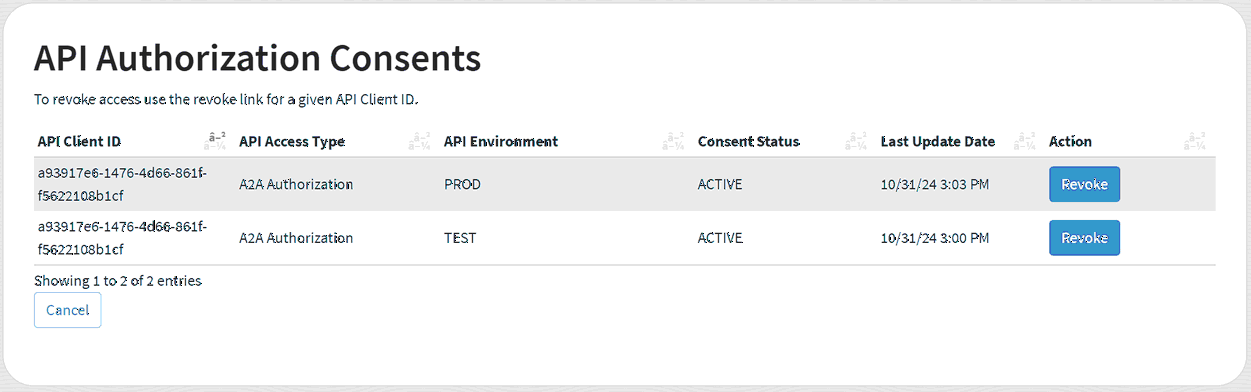
Next we can either review existing Consents or setup New Consents

Reviewing Existing Consents - if they exist.
Setup a NEW Consent: NOTE - It's very Important that you COPY the newly created Full User ID. It cannot be viewed later.
The Magtax A2A Client ID is: a93917e6-1476-4d66-861f-f5622108b1cf
Copy and Paste it in the "A2A Client ID" field below and select TEST for the Environment
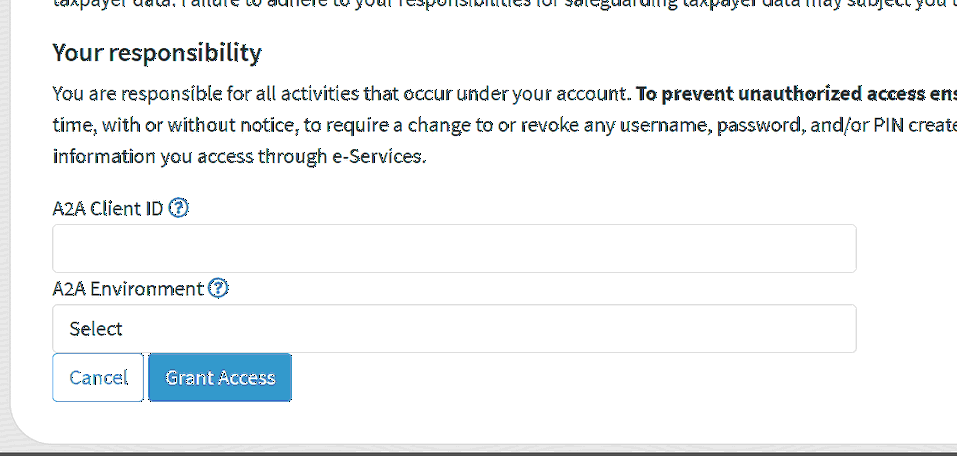
Repeat the process for the PROD (Production) environment.
Use the Full User ID on the IRIS Filer Setup Screen